How To Make It as a
First-Time Entrepreneur

How to Make it as a First-Time Entrepreneur

Archive for the ‘ Uncategorized ’ Category

Two users. That’s it.

It had been a week since we had announced to friends and family our latest idea, LinkFalcon, and only two of them had bothered to try it.

I thought LinkFalcon had some real potential. It solved a real problem for me and one that I hoped others had.

Complete disaster. Failure. Six months down the drain. Back to our real jobs.

That’s what should have happened; but, thanks to the Lean Startup movement, that wasn’t the case at all. Here’s why.

The Idea

I had the idea for LinkFalcon while watching a very terrible version of the highlights of an Arsenal soccer match on YouTube.

I knew there had to be a better version of these highlights but didn’t really want to go searching for them. And, that’s when I had an epiphany. What if there was a browser extension that would detect the highlights I was about to watch and offer to redirect me to a better version of the highlights?

It didn’t just have to be for soccer highlights, it could be for music videos, movie trailers, speeches, anything! The internet needed a better video redirector!

What’s Our First Version?

Certainly, we needed to build a system that, if given a url of a video, it would return a url with a higher quality version of that video.

We could build a very sophisticated algorithm that would crawl videos and figure out better version of them. The only problem: I had absolutely no idea how to build that.

Alternatively, we could build a crowd-sourced system where users would recommend better version of videos. Perhaps we could start with a small niche like movie trailers and slowly expand to other verticals. This seemed reasonable though it would be a ton of hard-work building that community and the tools they would need.

But, there was a third option: what if we didn’t build the system?

What was the first assumption we need to prove to ourselves? Was it that we could build the system? Was it that we could figure out a way to monetize it? While those were issues down the line, none of those were the first challenge we had to overcome.

The first assumption we needed to prove was that people actually wanted to use LinkFalcon.

Providing this service was not going to be easy so we needed to make sure people really wanted it.

We needed to see that people would actually go through the trouble of grabbing our bookmarklet and using it to get higher quality versions of videos they were watching online.

We Launch Our Experiment

So, we launched a simple landing page with a bookmarklet saying it would return a better version of the video they were watching.

But, when the user submitted a url, we didn’t actually have a better version ready.

The system would just email us the url and the user who submitted it. We would then frantically search for a better version and email it back to them.

Why did we do this? We wanted to find out as quickly as possible whether people actually wanted to use the product. If they really wanted the product and submitted hundreds of URLs, we would be willing to spend the months building the backend that would actually deliver the product.

By not building the system, we were able to test our key hypothesis in one day of coding and not six months of hopeful coding.

We weren’t launching a company, we were conducting a simple but very important experiment.

The Results of the Experiment

After one week and just two submitted URLs, we knew our hypothesis had been wrong. People didn’t really need this as bad as I had thought. It just wasn’t worth continuing to work on the idea.

But, that was okay. We had many other ideas to work on. And, because we tested this idea in just a week, we could actually get to those ideas. (One of them was Yipit, a three-day experiment, that turned into a VC-backed startup. (We’re hiring!)

An Important Other Benefit

Almost every entrepreneur has heard the advice to get user feedback as soon as possible. But, many don’t for many reasons. One of the biggest reasons for me was fear of failure. What were my friends and family going to think?

But, by thinking of it as a quick experiment, that fear tends to go away. The beautiful thing about experiments is that disproving your hypothesis isn’t thought of as a failure. It’s thought of as progress. And, getting early user feedback, even negative, is definitely progress.

Adam Smith, in Wealth of Nations, talked about an ”invisible hand“.

Basically, by businesses pursuing their own interests, they end up helping society much more than they had intended, led by an “invisible hand”.

“…he intends only his own gain, and he is in this, as in many other cases, led by an invisible hand to promote an end which was no part of his intention… By pursuing his own interest he frequently promotes that of the society more effectually than when he really intends to promote it.”

This same “invisible hand” is behind the success of many of the most popular web and mobile services that exist today. And, by understanding how it works, it can dramatically change your initial product decisions.

What is the Invisible Hand of the Internet?

The best way I can explain is to use an example almost all of us are familiar with: Delicious.

The amazing thing about delicious wasn’t that it allowed you to save and tag your bookmarks on a site. I liked that functionality and it was useful. But, ultimately, not everyone really needed that service.

The truly remarkable thing about delicious was that when enough people saved and tagged their bookmarks, you could see what the most popular bookmarks were for a tag like “python“. That collective wisdom was truly amazing.

But, users weren’t really uploading their bookmarks to the site and tagging them so that others could benefit from them. They were uploading their bookmarks out of their own self-interest. People wanted to save a bookmark with tags so that they could easily search for them next time they needed it. If people really didn’t need to tag their bookmarks, most of them wouldn’t have done it just for the benefit of the overall site.

The self-interested actions of delicious users ended up promoting the interests of the delicious community much more than they had intended to, led by the same “invisible hand” Adam Smith talked about in 1776.

How Does it Affect You?

I was recently talking to some struggling founders. They were telling me about how great their startup was going to be.

Founder A: “Once users start doing X, imagine how awesome the aggregated data will be for everyone.”

Me: “That does sound interesting but why would a user do X in the first place?”

Founder B: “Because they will be contributing to the aggregated data.”

Me: “But, if you assume they are selfish and busy, why would they do it?”

Founder A: “I guess we’re still working on that.”

People are largely driven by their own self-interests. As entrepreneurs, it’s too easy to fall into the mentality that people will use your product because it will help the overall community of your product. They won’t.

Do not get caught underestimating how much your product needs to personally reward a user for their actions. People’s time is a zero sum game and you’re competing against Facebook, YouTube, pictures of LOLcats, and way much more.

Before you can start thinking about how big your network effect will be, you need to really nail the single player interaction.

And, hopefully, if enough people use it, you can create an even more powerful service by leveraging all of their individual uses, just like Delicious did.

Your launch will have very little to do with your startup’s eventual success and you probably spend way too much time worrying about it.

That being said, a successful launch can be used to gain thousands of early users if you did your job right when they show up. It won’t make or break your startup, but it will help.

There’s great advice out there on how to pitch a tech blogger. My favorite is this post by Mark Hendrickson, a former TechCrunch blogger.

However, it can also be helpful to look at actual examples of pitches that worked. So, I’m including here two tech pitches that Jim Moran, my co-founder, and I submitted to TechCrunch for two projects we worked on before Yipit.

A Little Background

Before we launched Yipit, we worked on two side projects called 140it and UnHub. We built both in a weekend and were looking to get some broader exposure for them.

The problem was that we didn’t have an “in”. It’s always best to get a warm intro to a blogger from an investor or friend. We just didn’t have it.

So, we decided to try TechCrunch’s startup submission form which didn’t look promising. I pictured the other side as an endless stream of terrible pitches that TechCrunch authors dreaded and probably didn’t look at.

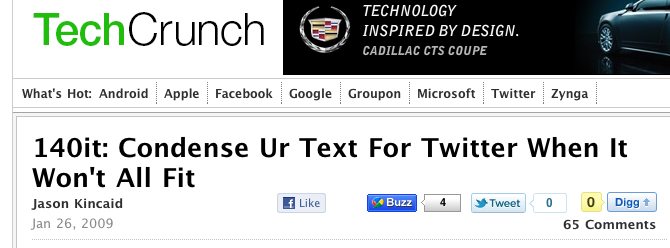
Less than an hour after submitting 140it via their form, we get out this email from TechCrunch writer Jason Kincaid:

Hi Vinicius, looks cool, am trying it now and writing up a post.   Please lift the password in around 20 minutes or so (let me know once you have).

Thanks,
Jason

It was up on TechCrunch shortly after and thousands of people tried out the site, got the bookmarklet, tweeted about it, and started using it. While we never intended to turn 140it into a business, it was a great experience and gave us the confidence to keep pushing forward.

Months later, TechCrunch also covered UnHub.com, another weekend project of ours. Again, we applied via their submission form.

Key Tactics

I’ve included both TechCrunch pitches below but wanted to highlight the key tactics we used in our submission:

  • Tell a Story. For UnHub, we reference the much talked about new Skittles corporate website had just launched as a decentralized experience. UnHub was a way for anyone to create that Skittle experience.
  • Ride Current Trend. For 140it, in 2009, lots of people were building Twitter tools to “fill holes”.
  • Reference Blogger’s Previous Posts. For both UnHub and 140it, you’ll see that we picked out a previous TechCrunch post where the author had made a point that was consistent with the project we were pitching.
  • Exclusivity. TechCrunch would much rather cover a new startup that hasn’t been covered before. So, we password protected both 140it and UnHub and told them we wanted them to cover our project first.
  • Concise. Do not go off and write huge essays. Get to the point of what your startup does right away.
  • Humility. With both 140it and UnHub, we were careful to admit the simplicity of the project.
  • Admit competitors. You have competitors, admit them. The blogger will have to look them up if you don’t. That means they will have to do more work reducing the chances they cover your startup.
  • Give them assets. If the site is private, give them beta invites. Create a demo video so they can add it to their post about you (we did that for both 140it and UnHub). They don’t have to be professionally done. Just record yourself using the site with a voiceover. If it makes sense, create an example account on behalf of the blogger as we did with UnHub for Michael Arrington. Throw in some screenshots if you don’t have a demo.

Below are the two pitches we submitted.

140it TechCrunch Pitch

Company Name: 140it
Website: http://140it.com
Submitted: January 26, 2009 at 11:55 AM PST

Description: 140it helps twitter users reduce their tweets to less than 140 characters.  It abbreviates words, converts company names to their StockTwits ticker and shortens URL’s using bit.ly.  Its intended use is as a bookmarklet so that the user can use 140it without ever having to leave Twitter.  Please see our demo video at http://140it.com (The password for the video is 140.)

Note:  http://140it.com is currently password protected.  The login credentials are:
username: friends
password: 140

Additional Info: This was a weekend project for us and we aren’t trying to make money off of it.  We just wanted to give back to the Twitter community.

We were inspired by a recent Arrington post where he said:  ”this is the way to fix Twitter, directly via the user interface, not from a third party site that users will forget to go to.”

We built 140it to work as a bookmarklet so that the user would never have to go to our site.   We also made it a bookmarklet so that it would work on all browsers including Chrome which has become our de-facto browser.

Also, we would love to get 140it to as many people as would like it and are thus happy to have TechCrunch be the first to reveal the project.

Competitors: Twonvert: http://www.twonvert.com/
TweetShrink: http://tweetshrink.com/

But, unlike our competitors, we made our utility work as a bookmarklet.  We also convert company names to their StockTwits tickers and shorten URL’s using the bit.ly API.
Tags: twitter, utility, bookmarklet


UnHub TechCrunch Pitch

Company Name: UnHub
Website: http://unhub.com
Submitted: March 6, 2009 at 11:16 AM PST

Description: We were really excited about the new Skittles website, so we made a way for anybody to have one. Your UnHub URL allows others to navigate your profiles, photostreams, channels, etc with a persistent bar at the top of their screen. When we saw the Skittles’ website on Monday, we thought its user interface would work well for individuals who wanted to showoff their web presence; and, three days later, we are releasing UnHub.

Your UnHub URL makes a lot of sense for the “Web” entry on your Twitter page. As an example, we made one for Michael Arrington:http://unhub.com/MichaelArrington and we also made one for Josie’s Restaurant here in New York:  http://unhub.com/josies

Overall, we wanted UnHub to be a dead simple, lightweight way to display your “decentralized me” to others.   On that topic, we enjoyed your post (http://www.techcrunch.com/2008/03/30/friendfeed-the-centralized-me-and-data-portability/) and some earlier discussions by Robert O’Brien, Loic Le Meur, et al.

Additional Info: We don’t think UnHub is technologically remarkable in any way (iframes have been around for a long time). That said, we’re excited about it for the same reason we were impressed with Skittles: it could be a new way for companies and individuals to showcase their online presence.

In addition to individuals using UnHub, we also think businesses should take a page out of Skittles’ book. UnHub is a simple (and free) way for them to start.  A restaurant’s UnHub could include a link to their current web page, but also to a google map of their location (for directions), yelp profile (for reviews), menupages (menu), opentable (reservation) and seamlessweb (ordering online).  Seehttp://unhub.com/josies

Soon we’ll allow people to replace their UnHub URL with a custom domain name, which should make the experience more personal. We’ll also start delivering analytics.

Also, Twitter has temporarily disallowed iframes, so we’re redirecting to Tweetree for now.

As far as our backgrounds, please check our new unhub pages:  http://unhub.com/vacanti and http://unhub.com/jdmoran

The site is password protected, so please use the following login information:
http://unhub.com
username: techcrunch
password: techcrunch

We had a great experience with techcrunch announcing our twitter tool 140it and would be thrilled to have you guys announce UnHub.

Competitors: Social network aggregators, and there are some great ones like Chi.mp, Power.com and Friendfeed, pull in content from other sources to a single profile page. However, our goal is to “stay out of the way” of dedicated sites that specialize in a single aspect of your web presence (e.g., Flickr for photos, Youtube for videos, etc.). We’d never be able to replicate the functionality of these specialty sites, nor effectively marry their diverse user experiences. That’s why we don’t have an UnHub profile page, just a persistent bar that sits on top of the ordinary browsing experience.

Also, you can include any site in your UnHub (e.g., your company website that was built 10 years ago or your Halo 3 player profile), not just those sites up to speed with Data Portability. Aggregators are great at bringing content into a single place, but UnHub is about sharing multiple places at once.

In theory, another competitor is blogs: some folks devote a lot of energy on their blogs and think of them as their primary web presence. They can designate their blog as “home” on UnHub, so when people follow their UnHub URL their blog will appear – in addition to a persistent navigation bar with which to explore their other locations (Twitter, Yelp, Flickr, etc). Blog widgets / links serve a similar linking purpose, though if a visitor clicks to a blogger’s Flickr stream, it’s unlikely the visitor will go back and check out other sites the blogger has invested in.
Tags: socialnetworkaggregator, sharing, identity, lifestream, socialnetworknavigator

Hope you find these two pitches helpful. If people have examples of other pitches that worked, let me know below in the comments.

So, you have a startup idea. It’s going to be big.

You can see it now. Millions of people using your service. You’ve already figured out your mobile strategy. You know the neighboring sectors you’ll expand to first. Your read-write API will hail the transition of your company into a platform company. You’re going to change the world.

The only problem is that your vision is based on having hundreds of thousands, if not millions, of happy users and, currently, you have zero happy users.

If your startup plan is directly based on this vision, you will struggle.

You need a different plan; a plan that doesn’t assume millions of happy users.

You need a first 1,000 users plan. This isn’t just about getting 1,000 users to try out your service. This is a plan about keeping those users.

Unfortunately, looking at how successful startups are currently executing (Facebook, Yelp, Foursquare) doesn’t help because their growth plans are based on the fact that they already have millions of users.

You have to look at their history.

  • Focus on a Niche. By focusing on a small geographical area, a vertical or smaller group of people, it will be easier to build up a meaningful user base in that niche.
    • Groupon just focused on local deals in Chicago, Foursquare was primarily in New York, Facebook was available just at Harvard College, Yelp launched in San Francisco
    • StackOverflow started with Tech Q&A before they launched StackExchange
  • Become a Super User. You should shamelessly become the biggest user of your own service. If your service requires user generated content, you should be supplying 10x what every other user is supplying. You need to do this long enough to kickstart everyone else on the site.
    • Dennis and Naveen, the founders Foursquare, must have added 1,000 tips in New York. Every time I checked-in, I got a tip from one of them. Obviously, they couldn’t do that for the whole world. But, as an early user in New York, I had a great experience
    • Yelp’s founders made all of their friends also become super users
    • Scott Heiferman, co-founder of Meetup, started the largest and most succesful meetup himself (New York Tech Meetup)
  • Wow Users. Your goal is to get 1,000 happy users and that means you can do some things that won’t work for users after 1,000
    • Flickr used to email every user that signed-up to find out what their experience was like
    • At Yipit, we personally over-responded to every customer service and unsubscribe (one of those got us featured on CNN)
    • Yelp threw ridiculous parties for their first users. They still throw them today for their best users but not for all users
    • Even though Foursquare is more about tips and friend-finding, it added a game layer of points and badges so that the early users could use the app even though their friends weren’t on it yet
  • Get Their Social Graph. If you only have a 1000 users but they are all friends, that’s enough to get those friends happy
    • By focusing on just Harvard college, Facebook’s first 1,000 users knew each other and didn’t care that there weren’t 50,000 people using the service
  • Manually Create Marketplaces. If you’re a marketplace startup where you need both sides to come together, you should think about picking one of the sides and manually create it while you encourage the other side to show up
    • Groupon started as a platform for getting people together for group benefits. But, they had success, when they manually created the group benefit by negotiating deals with local businesses and only asked that people sign-up for their email list

The common theme in all of these recommendations is to not be afraid to do some things that won’t scale past the first 1,000 users or aren’t part of your eventual vision.

On your way to millions of users, don’t forget you have to get 1,000 happy users first.

You can find more startup advice by following me on Twitter.

Goldman Sachs CEO

It has recently been reported that Goldman is investing $500 million in Facebook at a lofty $50 billion valuation.

After several small sales on SecondMarket at a $50 billion valuation, TechCrunch’s MG Siegler stated that “With this investment, that valuation has just been validated.

He’s wrong. It’s not a fair market valuation. Goldman actually values Facebook at way less than $50 billion.

Why? Goldman will make hundreds of million dollars in fees from their new relationship with Facebook.

In many ways, this isn’t a financial investment in Facebook, it’s a strategic investment by Goldman.

Hundreds of Millions of Dollars in Fees

Goldman will get a ton of extra benefits from cementing this relationship with Facebook. Some are even suggesting that fees Goldman will generate from Facebook eventually could pay for the whole investment.

If you factor in how much those fees are worth, you’ll can get a sense of what Goldman actually valued Facebook:

  • $1.5 billion special purpose vehicle. As part of the deal Goldman gets to create a $1.5 billion special purpose vehicle to allow private wealth management clients to invest in Facebook with a 4% placement fee.
    • Value to Goldman: $60 million to $135 million. 4% placement fee is $60 million; 5% of profits, assuming Facebook valuation increases to $75 billion, that’s $37 million; at a $100 billion valuation, that’s $75 million
  • IPO and Corporate Banking Fees. Deal positions Goldman nicely to lead their eventual IPO and be their preferred investment banker on all large financial transactions including debt raises, acquisitions
    • Value to Goldman: $100 million to $300 million. IPO fees (6% of offering) alone can be $100 million. Then you get secondary offerings, debt raises, acquisition advisory and all other financial transactions
  • Private Wealth Management for Mark Zuckerberg. Positions Goldman nicely to manage the private wealth of Mark Zuckerberg and the hundreds of newly millionaire Facebook employees
    • Value to Goldman: $30 million per year. Assuming 1% fee, on now $12 billion of value to Mark Zuckerberg, this could potentially lead to $120 million.  However, since most of the money is tied up in Facebook stock, it won’t all be actively managed.

The above valuations are highly speculative and don’t take into account costs associated with generating those revenues, the chance that Goldman doesn’t end up getting all of the business above or the fact that Goldman was likely to lead the IPO already.

That being said, it’s aslo likely that Goldman will generate more benefits than I’ve outlined above.

Goldman Actually Valuing Facebook at Way Less Than $50 Billion

Considering that Goldman is only investing $375 million and assuming Goldman will generate $100 million of value, it implies Goldman valued Facebook at $36 billion, not $50 billion.  At $250 million of value, it implies a $16 billion valuation.

And, of course, it’s also likely that all of the fees pay for the whole investment thus saying nothing about Facebook’s valuation.

In other words, this was a strategic investment in Facebook, not a financial one.

Family, friends, journalists, potential investors and palm readers will tell your idea is brilliant or foolish but they don’t really know. Very few ideas are clearly amazing. The success of most ideas is very much unclear.

So, how can you find out if your startup idea is good or bad?

Fortunately, there are people out there who can definitively tell if your idea is good or bad. They are brutal, selfish and don’t really know what they want. But, if you put a version of your startup idea in front of them, they’ll either use it or quickly lose interest.

Those people are your potential users. The people whose problem you’re solving and they alone, through their action or inaction, will tell you if your startup idea is good or bad.

The problem is that it takes months to get a working prototype ready. Well, not if you are ready to take a few shortcuts.

The Idea

In late January of this year, we had noticed two things:  people loved Groupon and there were, at that point, around 15 competing daily deal services of which 7 had launched in the last 30 days.

The problem we identified was two-fold: people didn’t want to sign-up for all these new deal services getting 15 emails a day and didn’t want to keep getting deals that weren’t relevant to them (e.g., guys didn’t want spa deals).

We wanted to create a product that would allow users to tell us what kind of deal categories they wanted (restaurants, not spas), every day we would grab all of these new daily deals announced in their market, filter the deals based on the user’s preferences and email the best ones in just one email.

How We Tested It

We could have sat around for a few months asking people what they thought, writing a business plan, modeling out what it would like in five years, thinking about where our headquarters would be, and other irrelevant things.

Or, we could create a very simple prototype as fast as possible. We could see if potential users would sign-up. And, if they did, whether they would open our daily emails, click on the deals or just unsubscribe from our emails.

Building a Prototype in Three Days

We had a long list of features we wanted for Yipit but we cut everything except for the bare minimum:

  • Landing page to sign-up
  • Page to collect category preferences
  • Page to recommend Yipit to others
  • Page where you could see all of the deals in our system

In retrospect, we could have done without creating the page where a user could browse all of the current deals.

On the back-end, we needed:

  • Script that would send out a daily email with the deals that matched their preferences
  • Crawler to grab all the deals from the various sites and put them in our database

All of the above is actually very easy to build.  The only problematic one was the crawler to grab the deals from the various third-party sites.  Each site was different, the urls were weird, duplicate deals would be a problem and categorizing the deals accurately is a hard problem to solve. We quickly realized the crawler was going to take us weeks to build poorly and months to build correctly.

But, what we concluded was that the whether we could build the crawler wasn’t a risk. We could; it would just take time. The real risk was that people didn’t want to use our service.

The Shortcut

So, we said, screw it, we’re not building a crawler. We’re just going to do the deal entry manually and eventually build the crawler if people actually liked our new service.

We created a simple admin page where a deal could be entered in (title, picture, price, etc.). We then hired a part-time person who would wake up every morning, go to the 20 daily deal sites and manually type the deals into our system and assign them to categories like restaurants, massage, spa, etc.  Crazy? Yes. Scalable? Probably not. Did it matter? No.

Finding Out If Our Idea Was Bad

Three days later, we were ready to put our prototype in front of potential users. Much to our delight, people started signing-up and started getting and clicking on our email. They were implicitly telling us they liked our idea! (I’ll write a future post on how to get these early users but basically you get them wherever you can. You don’t need that many to know if your idea is good or bad).

If people hadn’t signed-up or hadn’t clicked on our emails, we would have found out right away that there was something wrong with our idea. But, that would have been okay because we hadn’t spent months on it; just a few days.

How to Find Out if Your Idea is Good or Bad

My main pieces of advice are:

  • Build a very simple prototype for your idea and get it in front of potential users. You’ll learn more the day you talk to your first user than the months you’ve spent pontificating
  • Don’t be afraid to do things manually at first like we did
  • Build a landing page with screenshots that describe your future product and see if people will sign-up for your invite list. Dropbox did that before they had a product and signed-up 100K people.  Clearly, they were solving a problem people had!
  • Cut every feature except for the core feature.  Seriously, you don’t need any of those extra features.
  • 95% of startups are able to have a prototype built in less than two weeks.
  • Don’t write a business plan.

It’s very likely your idea is bad. Find that out as soon as possible so you can evolve it to a better idea.

Naming your startup sounds fun and awesome.

Let’s say you have a music sharing idea, so you’re going to grab music.com.  Wait, that’s probably too obvious. I’ll be creative. Let me try sharemusic.com. Oh, taken. How about Musicster.com, taken. Songster, taken. Songly, taken. Beaster, taken. Uh, oh. That’s when you realize something we’ve all at one point realized, EVERYTHING sensible is taken.

Before you know it, instead of spending time getting your prototype out, you’ve spent way too many days on instant domain search, thesaurus.com, polling friends, telling yourself you’re not going to spend anymore time on it, wondering if a .net domain is all that bad, telling yourself google was a terrible domain name so you shouldn’t care that much, trying to reach someone in Russia who owns the domain you want, finding a domain that’s actually available, buying all 10 spelling variations, realizing 5 minutes and $50 later that you don’t actually like the domain.

We went through all of the above when trying to name Yipit and we came up with a long list of terrible names and these were the ones we actually bought: streetcake, frankencity, 1gotham, citybat, noocher, zaxme. Ugh.

Needless to say, we were very unhappy with our final list and, even worse, we had spent way too much time on it.

So, after the fifth time we had told ourselves we weren’t going to spend any more time on it, we decided to come up with a different strategy.

Bottoms Up Approach to Finding a Domain

We wanted something short and we decided we wanted the domain to end in “it”.  We figured people say  ”google it”, and we hoped that one day, if we got popular enough, we could make it easier on people by having the “it” as part of the name. I will be both very happy and very sad if, one day, I hear someone say “yipit it”.

So, I wrote a simple python script to generate every [consonant][vowel][consonant]it.com.  With 21 consonants and 5 vowels, that resulted in 2,205 possible domains.

Obviously, I wasn’t going to look those up individually. Fortunately, godaddy has a bulk uploader that lets you check 500 domains at the time. (If someone knows of a better bulk upload checker, comment below!)

Of the 2,205 domain combinations, around 400 (in May 2008) were available. As you can expect, the ones that were available had Q’s in them with no accompanying U’s and other horrible formations.  It was disappointing. The available domains were terrible but, amongst the trash, we spotted the needle in the haystack: yipit.com.

The best part, it took us just 30 minutes to find our domain!

We both liked it and asked a few friends and family what they thought.  They all really liked it. I couldn’t believe our domain search was over. Yipit was our new company name.

(Hilariously, that same week, we had asked a creative friend of ours to come up with names and she had come up with 20 fun names one of which was “yipit”.)

How to Come Up With Your Own Script

Good available domains are like needles in the haystack. They are really hard to find by trial and error but this scripting technique combined with the bulk checker, lets you get to those needles fast. I recommend you do the following:

  • Come up with a prefix or suffix that you like.  For us it was “it”, maybe for you it’s “get” or “un” or “ster” or “me”.  It doesn’t have to be a real prefix or suffix, it could be a suffix like “mo”
  • Write a script or use excel, to generate combinations of your prefix / suffix with two / three letter combinations or actual lists of words
  • Run them through godaddy bulk uploader and see if a great domain falls out

Hopefully this will help you find your domain and get back to doing what actually matters, building your prototype.

I went back today and ran the script again. I checked all the combinations through the godaddy bulk uploader tool to see which ones were still available and put the available domains in this google doc. The pickings are slim.  My favorite one is Vopit though it sounds a little bit like vomit.

(If anyone else tried a similar approach to naming their startup, let us know below in the comments!)

This is the fourth part of a series on becoming your own technical co-founder. In 2008, we couldn’t find a technical co-founder for Yipit. I’m writing about how I became our technical co-founder. Hopefully, I’ll encourage other entrepreneurs with a dream but no technical co-founder options to take their destiny into their own hands.

Disclaimer: If you know a great technical co-founder that wants to work with you, join them. This series is intended for everyone else.

Learning Python

I know the below will seem daunting. It’s a lot of stuff.

I remember reading the Learning Python book and putting it down after 20 pages and having a major freak-out.

What was I doing? I had been out of college for 5 years having learned a ton of finance and I was reading a book called “Learning Python” with a mouse on it?! Did I just hit a huge reset button on my life? Was I even going to successfully learn all of this? Did I even know everything I was supposed to learn?

I didn’t have the benefit of reading the post below. No one told me it was possible nor that I should do it.

But, we were going to have to give up unless I became our technical co-founder and I was definitely not giving up. So, I kept reading the Python book.

Six months later, much to my surprise (though I now know why), I was ready to build any prototype we needed. That made us very dangerous and credible as a startup team. I still do some development for our team and, more importantly, I have a much better sense of what is possible and how long things will take making me a much better founder.

Lastly, you’ll get a lot of skeptical looks from people when you tell them you are trying to teach yourself. Just remember that they’re not in the arena, you are.

It’s Not That Hard

The challenge of building your own prototype isn’t that any individual part is hard (assuming your core innovation isn’t on the technology side and it most likely isn’t). The challenge is that there are so many different components you have to learn about.

The point of this post is to give a high-level overview of each of those components and make recommendations on which one you should learn yourself and which one you should just hire someone to do for you.

Also, I still don’t fully understand all of the components but, guess what, it doesn’t matter. I wasn’t looking to fully understand everything. The goal was to understand them just well-enough to build our prototype and get traction. We now have an awesome tech team that understands them way better than I ever will.

The Major Components You Need To Know

The best way to give you some context around the components is to describe what happens when a user visits a website.

So, when a user comes to Yipit, they make a request from our website by visiting a url.  So, as an example, lets say that a user goes to her New York daily deals page: http://yipit.com/new-york (note that this exercise assumes the user has already created an account and is logged in)

That request by the user is sent through the internet to a machine that runs your website.  That machine is called a server which brings us to our first component: servers.

  • Servers are machines that have your code, your database and run your website by responding to requests from your users. You don’t buy these machines. You rent space on them.
    • Popular examples: 1and1, slicehost, Amazon Web Services
    • Learn or hire someone: You want to spend as little time on this as possible. It will have no impact on your ability to get traction and is just something you have to set up and fix when it goes down.
    • What we did: We hired someone on a hourly basis, who is now our CTO.  We used and still use Amazon Web Services. Just make sure the person you hire lets you know what to do when the server goes down (it will go down)

Now, the server is just a machine. On that machine, is software that actually handles the request from your user and that software is our second major component: web servers.

  • Web servers are the software sitting on your server that is responsible for receiving the request from the user and sending back a response, usually in HTML, that the user’s browser will display
    • Popular examples: Apache, nginx
    • Learn or hire someone: You also want to spend as little time on this as possible so hire someone to get it set up.
    • What we did: We used Apache at first, switched to nginx and are now back on Apache. I would recommend Apache since it’s more popular. Again, we got this setup on our behalf.  Just make sure you know how to restart the server.

Okay, so now that the server got the request that the user needs her New York daily deals, it needs to respond. But, the server doesn’t know her deals or how to display the deals in a format her web browser will understand. So, it gets a little help. It sends the request to where all the magic happens and our third and most important component: web application frameworks.

  • Web application frameworks are responsible for receiving the request and generating the html page that will get sent back to the user. They do all the work. This is where the logic of your site will sit.
    • Popular examples: Django (built in Python) and Rails (built in Ruby)
    • Learn or hire someone: This is what you have to learn and will be where you spend almost all of your time. If you learn how to develop with these frameworks, you’ll be able to build almost any prototype you want.
    • What we did: I decided to use Python but Ruby is also great. If you have a good friend that’s an expert in either one of these, I would just pick which one they know and ask them lots of questions as you learn. I first bought a book on Learning Python. It’s not critical you fully understands all the ins and outs of Python.  I certainly don’t.  You just need to know enough (for loops, data structures). I then learned Django primarily from the online django book.  Will talk much more about this in a separate post.
    • Tools: I use Textmate to do most of my programming. I use GitHub to manage my revisions. (Ask the person you hire to set github up for you).

While the web app framework will do all the work, it needs a little help because it doesn’t actually have the data.  For our example, it doesn’t have all the new york daily deals. That data sits in our fourth major component: databases

  • Databases store all of the data for your project. Think of them as really large excel spreadsheets with rows and rows of data
    • Popular examples: MySQL
    • Learn or hire someone: You should hire someone to explain this to you and set it up. You should learn enough to run some basic queries off the database and alter the structure. The web app framework obfuscates most of the interaction with the database.
    • What we did: I read this book on learning MySQL. I wouldn’t read past page 300 and don’t worry if you don’t know this stuff to well
    • Tools: I use Sequel Pro to view the database.

While the web app framework will handle the creation of your html pages that get sent back to the server, you still have to write the templates in HTML and CSS which is our fifth major component.

  • HTML is the format that web browsers expect for web pages. CSS is an additional file that comes along with the HTML that helps to style the html.
    • Learn or hire someone: You should learn this. It’s actually the easiest thing to learn. If you have a co-founder that isn’t technical, they should definitely learn this. It’s not programming and it will be a big help to have someone else on the team doing this.
    • What we did: My co-founder Jim learned HTML and CSS.  He read and recommends this HTML book and this CSS book.  In three weeks, he was ready to go.
    • Tools: Firebug running in Firefox is your best friend; it’s awesome. I also recommend PSD2HTML to get your photoshop files turned into HTML. You can then work off of what they did. DO NOT BUY DREAMWEAVER.  It’s a nightmare-maker.

The last major component is Javascript. It’s a programming language that runs on your user’s browsers. You know when you click on certain websites and the page doesn’t reload but a little box pops up or it unhides content? That’s using Javascript.

  • Javascript is a client-side programming language that allows you to manipulate content on your site without requiring the user to reload the entire page. It’s not a necessity but it can significantly improve user interface and user experience of your site. There’s a library written in Javascript that you should use called jQuery
    • Learn or hire someone: You shouldn’t really learn Javascript but rather you should learn jQuery which is a library written in Javascript that makes it much easier to do all the user interface things you want to do on the page. Also, I wouldn’t worry about mastering jQuery, just learn enough to accomplish the user interface improvements you are looking for.
    • What we did: We just read through the jQuery website and did some of the tutorials. It’s pretty easy to get going.
    • Tools: I never found a javascript debugger that I really liked. Firebug’s console mode lets you see if there’s something wrong.

Development and Production Environment

When you launch your site, you will have a development and production environment.

  • Development Environment. This is just a fancy way of saying where you work on your prototype that normal users don’t have access to.  Or even simpler, your laptop. You’ll essentially have a working version of your website with a database, your code, etc running on your laptop. I strongly recommend you find someone who knows their stuff (pay them per hour if needed) to set this up for you. Sit right next to them while they do this and ask lots of questions. It should take them around 5 hours and it would take you a frustratingly long time to do it yourself. If you can, I also recommend switching to a Mac. It’s way easier to deal with than a PC.
  • Production Environment. This is where a live version of your site sits where users can access it. You do work on your development environment and then you push it to the production environment where users can see that latest feature you added. Again, you should have the person you hire set this up and the mechanism in which it gets updated from your development environment.

Other Acronyms and Terms You’ve Heard

When I was starting out, I was always intimidated by the endless list of acronyms that were thrown around. The good news is that if you understand the major components above, you can now fit these acronyms in their buckets.

A few of the more popular ones:

  • PHP, Java, Perl: Just programming languages like Python and Ruby
  • XML: Just a format to put data in like HTML. It’s just another way servers send data to users. It’s typically used for API’s.
  • API: This is just a way for your website to interact with another website. As an example, if you have a website with business listings and you want to show Yelp’s reviews on your website, you use Yelp’s API. That is, your website sends Yelp a request for the reviews of a business with phone number 555-1234 and Yelp returns an XML file with the reviews. Your site parses that XML file and puts the reviews on your HTML page.
  • JSON: Javascript object notation. This is just another format to put data in that’s actually much easier to use than XML. Most API’s give you the option of getting back JSON formatted data in addition to XML data.
  • AJAX: Asynchronous Javascript and XML. This is a way for your website to interact with your server without having to reload a full page. On Facebook, when you like someone’s status update, do you notice that the page doesn’t reload. That’s because it’s using AJAX. When you click on the “like button”, the javascript sends a request to the server to let it know that the status message has been liked without having to reload the page.

You probably have way more questions.  Feel free to ask away in the comments below and I’ll respond to them.  You can also ask through my formspring.me account.

Lastly, remember that your goal isn’t to master these things but to learn just enough to get a prototype up and running that you can iterate on. Once you get traction, you’ll be able to bring on awesome developers that will have a mastery of this subject matter.

This is the fourth post in a a series on becoming your own technical co-founder. In my next post, I’ll describe my experience of learning python and django in more detail.

  1. Guide to Finding a Technical Co-Founder
  2. Why You Can Become Your Own Technical Co-Founder
  3. Should You Find a Co-Founder, Hire a Programmer or DIY?
  4. Big Picture Overview of All the Components of a Web Service (This post)
  5. How I Taught Myself Python and Django (coming)


Now that Yipit raised a round of funding, we have the amazing opportunity to grow our team of engineers here in New York City.

But, in all honesty, we’re not looking for just great engineers in the way Wall Street, Google or Microsoft does. We want our developers to one day become the next great founders. Starting a successful company is one of the most rewarding experiences on both a personal and outward level. We want you to experience that.

Chad Hurley and Steve Chen left PayPal to Start YouTube

If you just want to be a developer for the rest of your life and makes lots of money, I think that’s awesome but that’s not what we’re looking for right now. We can’t match the salary that Wall Street or big tech companies will offer you. What we can offer you that those companies won’t is an experience that will prepare you to one day start the next big thing.

You may wonder why not just start a company now. The problem is that being a talented hacker isn’t enough to start a successful company. You need a bunch of other skills. That doesn’t mean you can’t try, we did. But, learning these other skills first, will put you in a much better position to be successful.

Other Skills Needed

We spent three years going from hacking together weekend projects to starting a venture-backed company. Aside from the engineering skills, here’s a quick snapshot of the long list of others skills we had to learn along the way:

  • Product management: customer development process, minimum viable products, lean startups
  • Fundraising: pitching your startup, understanding company risks, developing relationships with investors
  • User interface / user experience: user testing, absorbing user feedback, understanding expected paradigms, simple conversion funnels
  • Analytics: what metrics to measure, how to iterate based on those metrics, how to report those metrics, startup metrics for pirates
  • Graphic design: spacing; consistency; contrast; color
  • User acquisition strategies: SEO, SEM, affiliate programs, API, created syndicated content, viral loops
  • Recruiting: attracting talented people to your team; learning how to use job boards, craigslist, personal network
  • Writing: concise website copy, getting company blog syndicated
  • Market analysis: market sizing, competitive analysis
  • Business modeling: lifetime user value, customer acquisition cost
  • PR: pitching tech bloggers; guest blogging; getting featured by big media companies
  • Networking: becoming a member of the community; creating “buzz” around your startup; developing relationships with journalists
  • Outsourcing: know what to do yourself and what to outsource; mechanical turk, elance, virtual admins

It took us three long years to learn all of this. How did we do it? We literally wrote all the skills down, identified the experts in each area and methodically read everything they had written. We also learned by releasing a couple of weekend projects: 140it and UnHub

If I could have gone back to 2007, I would have done it very differently. Three years of struggle is a long time. Instead, I would have worked at a start-up that would have encouraged me to learn these other skills.

That’s why we’re taking this approach at Yipit. As you help us build the technology that will make Yipit great, we want to make sure we help prepare you to become a great founder.

Looking for Two Developers

Right now, we’re looking for two developers to join our team. Send me an email at vin at yipit dot com. You can see more of the specifics on the position and our technologies at our jobs page.

We look forward to meeting you.

This is the third part of a series on becoming your own technical co-founder. In 2008, we couldn’t find a technical co-founder for Yipit. I’m writing about how I became our technical co-founder. Hopefully, I’ll encourage other entrepreneurs with a dream but no technical co-founder options to take their destiny into their own hands.

Disclaimer: If you know a great technical co-founder that wants to work with you, join them. This series is intended for everyone else.

You have the next big idea but don’t have a strong technical background and you don’t have a great technical co-founder lined up. Sadly, that represents over 95% of potential entrepreneurs out there and it’s a very frustrating experience.

Not all is lost. You don’t need to build an amazing scalable company right away. You just need to get a prototype off the ground that gets traction. Once you get traction, you can attract a great technical team. So, how do you build that prototype?

Three Options For Building Your Prototype

You have three options all of which are hard, frustrating and risky:

  • Keep trying to find a technical co-founder. We tried this at Yipit and couldn’t find anyone.
    • Pros: If you have a great technical co-founder, your startup now has a real future.
    • Cons: You won’t do any work on your project till you find someone. Worse, you’re probably not going to find someone and, if you do, they’re going to be less than ideal.
    • Advice: I wrote a gude to finding a technical co-founder.
  • Hire a programmer. We also tried this at Yipit and it didn’t work.
    • Pros: You’ll have someone working on your project right away.
    • Cons: It will cost you money. You’re not going to manage them correctly. If that initial prototype doesn’t get traction right away (and it probably won’t), it’s going to be a real struggle to quickly iterate and you’ll end up spending even more money.
    • Advice: See this great article on how to hire a programmer.
  • Teach yourself to build it. After failing to the above two, we decided we would teach ourselves. Six months later, we could build almost any prototype we wanted. We got traction with Yipit and now have an awesome technical team working on it.
    • Pros. You’ll have full control over your destiny. You can iterate your project quickly and you’ll have way better interactions with your future technical team. You’ll have this skill for your future ideas.
    • Cons. Your project is going to have to wait till you teach yourself. It will take a serious time investment from you.
    • Advice. I’m writing a series on becoming your own technical co-founder based on my experience. See my first post on why it’s easier than you probably think.

Which Option Should You Choose?

Okay, so which option should choose? There’s a lot of ways to think about it, but I think it really comes down to where you think your startup is going to create real value.

Tech startups create real value in one of three ways: (note: for example companies, I’m referring to their initial prototypes):

  • Technology Innovation. Your service has to be secure, it has to scale immediately, you need PhD’s to help you develop algorithms and you’re probably applying for a few patents.
    • Examples: Initial prototypes of Google, Twilio, SimpleGeo, Aviary, Hunch
    • Advice: Keep trying to find a technical co-founder. In fact, unless you have serious domain expertise, you should reconsider why you are trying to build a start-up that has a very serious technology component.
  • User Interface / User Experience. This represents most startups we see today. The tech aspect is mainly writing and reading from a database and you might build on top of an API. You won’t need to scale right away and it doesn’t need to be super secure.
    • Examples: Initial prototypes of Facebook, Foursquare, Twitter, Yelp, Yipit
    • Advice: Teach Yourself. Your main challenge won’t be the technology but will be getting the interface right. Getting the interface and experience right will require you to iterate the product several times and you’ll want to be in full control over how quickly you can do that.
  • Sales / Marketing. The tech stuff is *really* easy and replicable by many. The key to your startup’s success is your sales, editorial or marketing operations most of which will be mainly happening offline. In fact, you’re initial product isn’t a real tech company, it’s a tech-enabled company.
    • Examples: Initial prototypes of Gilt, Groupon, Thrillist, Gawker
    • Advice: Hire a Programmer. The prototype’s functionality isn’t going to determine your success. It’s your ability to create great content, build a great sales team or execute on marketing channels. Just get something out there and recruit a great technical team later.

As a personal experience, if we had been building a Groupon competitor, we would have hired a programmer. But, since Yipit, an aggregator of all these services, involves more user interface / user experience challenges, it made more sense for us to teach ourselves so that we could iterate on the concept till we got it right.

So, for all the 95% of us who don’t have a great technical co-founder lined up, I hope to encourage you that you can get started on your dream today. Assuming you are not trying to innovate on the technology, either hire a programmer or start teaching yourself.

This is part of a series on becoming your own technical co-founder. In the next post in this series, I will delve into becoming your own temporary technical co-founder based on my own experience staring with a big picture overview of all the components of a web service.

  1. Guide to Finding a Technical Co-Founder
  2. Why You Can Become Your Own Technical Co-Founder
  3. Should You Find a Co-Founder, Hire a Programmer or DIY?
  4. Big Picture Overview of All the Components of a Web Service
  5. More to Come…